


Sound Booster・Increase Volume
4.823.09K Reviews
App Specs
- Version
- 3.7.4
- Updated On
- License
- Free
- Downloads
- 10,000,000+
- Developer
- Prometheus Interactive LLC
- Categories
- Music & Audio
- Platform
- Android
Screenshots
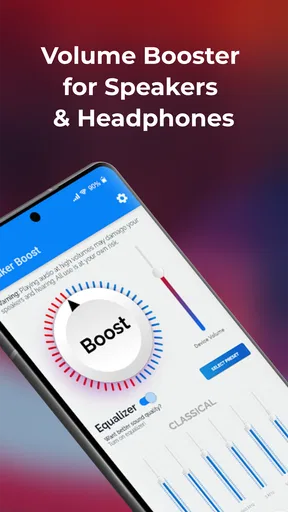
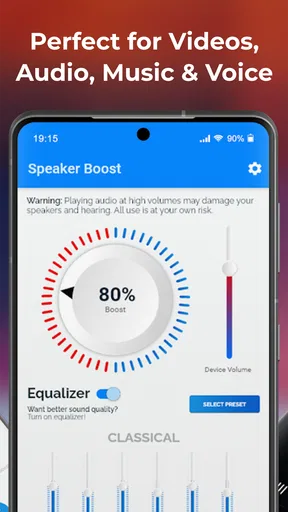
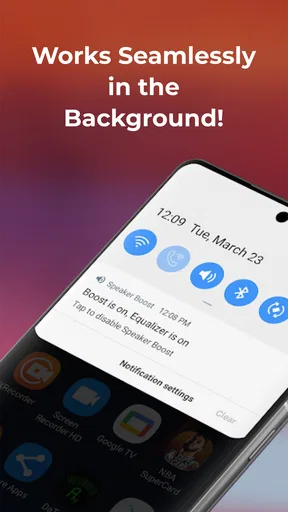

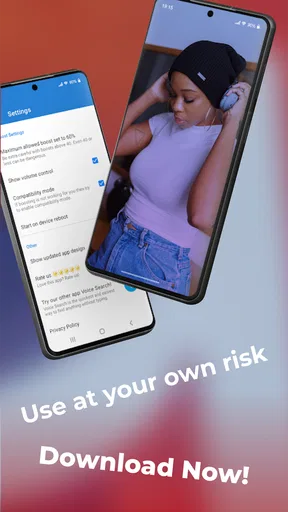
 Analysis by AppCompare
When I want a little more volume from a phone speaker or a connected audio device, I reach for Sound Booster・Increase Volume. Its purpose is straightforward: give audio playback a louder push. That can help when a recording sounds quiet or a room is less than ideal, though it is not a substitute for better speakers or a quieter place. I’d think of it as a practical adjustment for everyday listening, rather than a way to transform the sound of every device.
What a volume boost can—and cannot—change
The useful question is not simply whether an app can make sound louder, but whether the extra level helps you hear the parts you care about. With speech, a modest boost can make a quiet podcast or video easier to follow. With music, louder playback may be welcome, but it cannot restore detail that was missing from the original recording or fix a weak speaker’s natural limitations. I treat the boost as a convenience, not an audio upgrade with guaranteed results.
There is a trade-off to keep in mind: pushing playback beyond a device’s comfortable level can make sound harsh or distorted. If a voice becomes brittle, bass turns muddy, or music loses its balance, I’d lower the setting rather than keep chasing more volume. The best result is the lowest boost that makes listening comfortable. That small habit matters especially with headphones, where turning sound up to overcome surrounding noise can be tiring.
Sound Booster・Increase Volume is a free music and audio app from Prometheus Interactive LLC. It has a 4.7 average from around 411,000 ratings, and has been installed over 10 million times. The app is rated for Everyone, and its current version is 3.7.4. Those figures suggest that many people are looking for a simple way to adjust playback, but they do not mean the same setting will work equally well on every phone, speaker, or audio source.
Unleashing the Power: First Impressions
When I first downloaded Sound Booster・Increase Volume, I was curious about how much of a difference it could actually make. The installation was quick and easy, and I was up and running in no time. Right off the bat, the interface struck me as clean and intuitive. You don’t need a degree in sound engineering to figure it out, which is a big plus in my book.
Hands-on with the Features
Now, let's talk about what this app can do. The main feature is, of course, boosting the volume of your device. Whether you're listening through your phone's speakers, headphones, or a Bluetooth device, this app promises to enhance your audio output significantly.
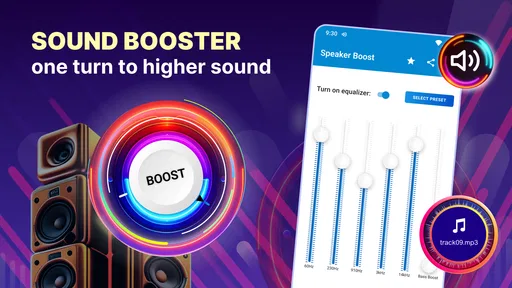
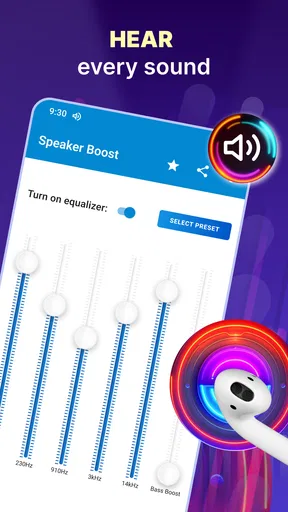
One of the standout features is the ability to customize the sound settings. You can adjust the levels to your liking, which is perfect if you're picky about how your music or podcasts should sound. I found it particularly useful when switching between different types of audio content.
Worth Reading Before You Choose

Flipboard Shows What News Apps Must Do Beyond the Feed

Switching to Android Auto Means Rethinking Your Driving Routine

Google Calendar Makes a Crowded Week Easier to Manage

Ludo King Makes the Most of the Minutes Between Plans

Baby Panda World Brings Quick Play to Modern Phones, but Its Game Library Feels Busy

ESPN’s Live Game View Makes Following Close Games Easier
An unexpected surprise was the built-in equalizer. This feature allows you to tweak the bass, treble, and other sound elements. It felt like I was carrying around a mini sound studio in my pocket. Pretty cool, right?
Getting a useful result from everyday playback
I’d approach the controls by making one change at a time. Start with a familiar track or a spoken clip at a comfortable level, then adjust the boost and listen for whether the sound is actually clearer—not just louder. This makes it easier to notice when a setting starts to flatten voices or make music feel rough. If you switch from speech to bass-heavy music, it is worth reassessing instead of assuming one setup suits everything.
A practical everyday example is listening to a quiet voice note while doing a simple task at home. A small increase may be enough to catch the words without repeatedly moving the phone closer. For a video call, though, I would not rely on a volume booster to solve a poor microphone or a weak network connection; those affect what reaches the device, not just the playback level. Knowing that distinction helps avoid turning up noise along with the voice.
The equalizer can be useful as a corrective tool, but I would keep adjustments subtle. If a podcast sounds thin, changing tone may make speech more comfortable; if the source already sounds balanced, extra tweaking can make it less natural. When testing a new setting, I like to replay the same short section rather than compare different songs, since changes in recording and mastering can otherwise make the app seem more effective—or less effective—than it is.
Everyday Use and Performance
Using the app daily, I've noticed a significant improvement in my listening experience. I tested it with various apps – from Spotify to YouTube and even some streaming services. The difference was noticeable, especially in environments with a lot of background noise.
Battery consumption was another concern I had initially. Fortunately, Sound Booster・Increase Volume doesn’t drain your battery like some other power-hungry apps. It seems pretty well-optimized, which is always a relief.
Another thing I appreciated was the lack of intrusive ads. While there are ads present, they don’t interrupt the audio, which is crucial when you’re trying to focus on what you’re listening to.
Where it fits beside the usual alternatives
For a one-off volume problem, the phone’s built-in volume controls are the simplest option, and I would try those first. They add no extra step and make sense when the device is already loud enough for most situations. Sound Booster is more appealing when ordinary controls leave a particular clip or listening session too quiet, or when you want to adjust the sound rather than repeatedly changing the system level.
It also sits in a different role from a dedicated speaker or headphones. Hardware with stronger, clearer output is the better choice if you regularly listen in a large room or want fuller music; an app cannot change the physical size of a speaker. Likewise, a quieter environment is often a better solution than raising headphone volume around traffic or other loud surroundings. I’d use the booster for occasional convenience, not as a reason to listen at uncomfortable levels.
Another alternative is changing the source: choosing a clearer recording or turning on captions for a video can solve a problem that extra loudness cannot. If only one podcast episode is hard to hear while other audio is fine, the recording itself may be the weak point. The app makes most sense when the device’s output is what needs a lift, rather than when the source, connection, or surroundings are the real cause.
Limits, compatibility, and spending choices
Results can vary between the phone speaker, wired or wireless headphones, and Bluetooth speakers, so I would test the exact setup I plan to use. Bluetooth devices may have their own volume controls, and changing one level does not always behave the same as changing another. If the sound suddenly becomes too loud after reconnecting, lower it before continuing. That is a simple precaution, especially when switching from a room speaker to headphones.
The app is free to download, with in-app purchases ranging from $0.99 to $99.99 per item. I would first decide whether the basic volume adjustment solves my particular problem before paying for anything. A purchase is only worthwhile if it addresses a need I actually have; the wide price range also makes it sensible to read each purchase screen carefully and check what an item offers before confirming.
It supports Android 5.0 and later, which gives it a broad compatibility floor for Android devices. That does not guarantee identical behavior across every model: audio routing and the hardware itself can affect the result. If boosting seems ineffective, I would check the device’s regular media volume, confirm the intended output is connected, and test another audio source before assuming the app is at fault.
One question people often have is whether a booster will make every app louder in the same way. I would not count on a uniform result: the source level, output device, and the phone’s own audio handling all matter. Another is whether it is suitable for quiet listening. It can help make low-level playback more audible, but I’d still keep headphone volume comfortable and take breaks rather than treating maximum output as the goal.
For people sensitive to sharp or distorted sound, the sensible test is gradual: compare a short familiar clip at the normal level, make a small adjustment, and stop if clarity gets worse. And if you need a dependable boost for a group, a stronger external speaker is usually a more appropriate choice than trying to make a phone fill a room. The app’s strongest use is personal, situational listening where a little extra output is useful.
Final Thoughts: Is It Worth It?
So, is Sound Booster・Increase Volume worth downloading? In my opinion, absolutely. It’s a fantastic tool for anyone looking to get more out of their device’s audio capabilities. Whether you're struggling with low volume issues or just want to enhance your listening experience, this app delivers on its promises.
With its user-friendly interface, customizable settings, and effective performance, it’s a must-try for any audiophile or casual listener alike. Give it a go, and you might just find yourself wondering how you ever managed without it.
Ready to take your audio experience to the next level? You can find the download link for Sound Booster・Increase Volume on our website. Trust me, you won’t regret it!
Who will get the most from it
I’d recommend it most to someone who often finds a phone’s playback just a little too quiet for personal listening, especially with spoken content or recordings that vary in level. It is also a reasonable option for people who want to experiment with sound adjustments without learning a complicated audio tool. The simple purpose is its advantage: you can try a boost, listen, and decide whether the change helps.
I would skip it if you expect it to repair poor-quality recordings, replace better audio hardware, or make unsafe listening conditions safe. It is not the right answer when the problem is a faulty speaker, a weak microphone, or loud surroundings that call for hearing protection or a quieter place. For ordinary use, though, a careful, modest adjustment can make a quiet clip easier to enjoy. That is the kind of small, practical improvement I value most in an app like this.
Pros
- Boosts audio beyond default limits
- Simple interface for easy navigation
- Compatible with most media apps
- Small app size
- minimal storage use
- Customizable audio settings
Cons
- May distort sound at high levels
- Potential battery drain issues
- Limited advanced features
- Ads can be intrusive
- Not all devices fully supported
FAQs for Sound Booster・Increase Volume
How does Sound Booster・Increase Volume work to enhance audio output?
Sound Booster・Increase Volume is designed to amplify the audio output of your device. It works by increasing the volume beyond the system defaults, allowing you to experience louder sound without distortion. The app uses advanced algorithms to enhance the audio quality, making it ideal for music, videos, and calls.
Is Sound Booster・Increase Volume safe to use on my device?
Yes, Sound Booster is safe to use if you follow the recommended guidelines. It’s essential to avoid pushing the volume to the maximum setting for extended periods, as this can potentially damage your device's speakers. Always start at a moderate level to ensure the longevity of your hardware.
Does Sound Booster・Increase Volume support all types of audio content?
Sound Booster supports a wide range of audio content, including music, videos, and voice calls. It is compatible with various media players and streaming apps, providing a consistent volume increase across different types of content. However, the experience may vary depending on the original audio quality.
Will Sound Booster・Increase Volume affect the battery life of my device?
Using Sound Booster may slightly impact your device's battery life, as it runs processes in the background to enhance the audio output. However, the app is optimized to minimize battery consumption. For best results, monitor your usage and close the app when not needed to conserve energy.
Are there any costs associated with using Sound Booster・Increase Volume?
Sound Booster offers both free and premium versions. The free version provides basic volume enhancement features, while the premium version unlocks additional functionalities, such as customizable settings and an ad-free experience. Check the app store for the latest pricing and subscription options.


